
# Hohoff Editor
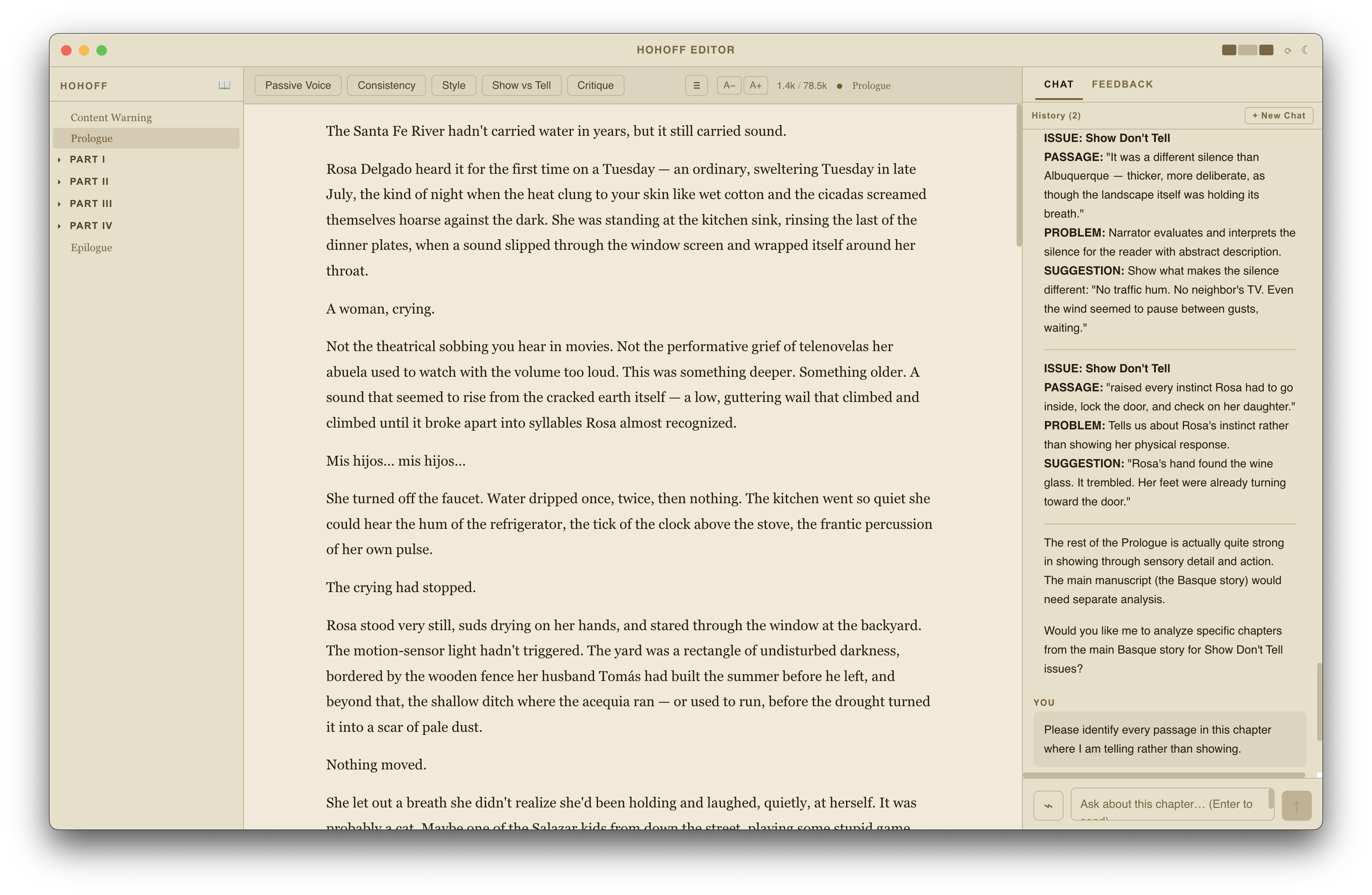
A desktop manuscript editor built for the revision stage of novel writing. After producing a first draft in Scrivener or another writing tool, bring your manuscript here to strengthen it before it goes to a human editor.
Hohoff is not a substitute for professional editing. It is a preparation tool: it helps writers identify weaknesses in their own prose — passive voice, consistency gaps, show-vs-tell moments, pacing — so the manuscript arrives at the editor's desk in better shape. The AI flags candidates for revision; you decide what to change and how.
Built with Electron, React, and Claude (Anthropic).
---
## Features
### Manuscript editor
- Markdown editor (CodeMirror 6) with syntax highlighting
- Document outline navigation by heading level
- Full-text search across all draft files
- Drag-and-drop file reordering
### AI revision tools
All AI features are diagnostic, not generative — they identify candidates for revision, they don't rewrite your work.
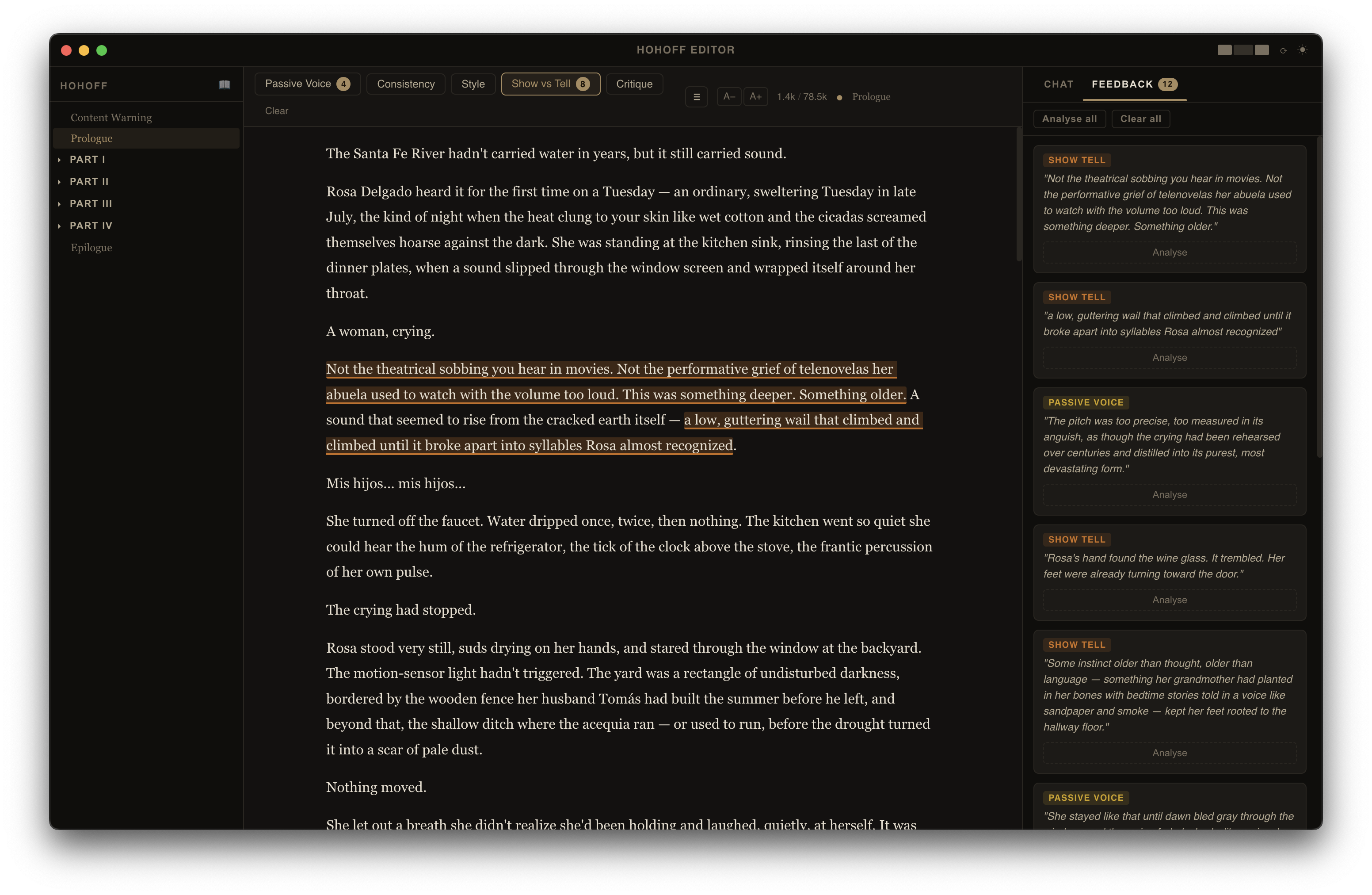
**Inline annotations** — Run an analysis pass on the open chapter and the editor marks specific passages inline:
- Passive voice
- Consistency (character names, details, continuity)
- Style
- Show vs. tell
- General critique
Hover an annotation to see the suggestion. Apply or dismiss with one click; apply is undoable.
**Chat** — Ask questions about the open chapter. The AI has access to the chapter text as context. Two optional context toggles extend what it can see:
- **Story bible** — Injects your `Story Bible.md` reference file. Useful for continuity questions.
- **Whole story** — Injects the entire manuscript in narrative order. Useful for arc-level questions.
Both modes surface revision opportunities; the AI doesn't produce prose for you to paste in.
### Story Bible
`Story Bible.md` lives in your project folder alongside the manuscript. Edit it directly in the app. A generation tool can bootstrap it from your existing manuscript (characters, world-building, timeline, themes, continuity rules) as a starting point.
### Revision history
Every save creates a versioned snapshot in `.hohoff/.revisions/`. The revisions panel shows word count per version and lets you browse history.
### File management
- Create, rename, and delete files via right-click context menu
- Custom ordering persisted in `.hohoff/.order.json`
- Folder structure mirrors Part I–IV chapter organisation
---
## Requirements
- macOS (primary target)
- Node.js 18+
- An [Anthropic API key](https://console.anthropic.com/)
---
## Setup
```bash
git clone
cd hohoff
npm install
```
On first launch, open **Hohoff → Preferences** (or `Cmd+,`) and set:
- **API key** — your Anthropic key
- **Project path** — the folder containing your manuscript files
Configuration is stored in `~/.hohoff/config.json`.
---
## Development
```bash
npm run dev # Electron dev server with hot reload
npm run build # Production build
npm run typecheck # Type-check (Node + browser configs)
```
---
## Project structure
The app and your manuscript are completely separate directories.
**App (this repository):**
```
hohoff/
└── src/
├── main/ Node process: file I/O, AI calls, IPC handlers
├── preload/ contextBridge (renderer ↔ main)
└── renderer/ React UI (editor, chat, file tree, panels)
```
**Manuscript (anywhere on your machine, e.g. `~/Documents/My Novel/`):**
```
My Novel/
├── Prologue.md
├── Part I/
│ └── *.md
├── Part II/ … Part IV/
├── Epilogue.md
└── .hohoff/ App metadata (not manuscript content)
├── order.json Custom file ordering
├── session.json Persisted app state
├── revisions/ Version history
└── Story Bible.md Reference file (optional)
```
---
## Configuration reference
`~/.hohoff/config.json`:
```json
{
"apiKey": "sk-ant-...",
"projectPath": "/path/to/your/draft"
}
```
Changes to `apiKey` take effect immediately. Changes to `projectPath` require a restart.