
# Borges
A desktop app for flash fiction writers. Write, analyse, and track submissions — all in one place.
Built with Electron, React, TypeScript, and CodeMirror. AI features run on Claude (default) or any OpenAI-compatible provider.
---
## Features
### Editor
- Markdown editor powered by CodeMirror 6
- Live word count with a configurable target bar
- Auto-save every 10 seconds; manual save with `Cmd+S`
- Revision history (up to 50 snapshots per story)
- Focus mode hides all panels for distraction-free writing
- Dark and light themes; adjustable font size
### AI Analysis
Four one-click analysis modes, each tuned for flash fiction craft:
| Mode | What it does |
|---|---|
| **Compression** | Flags redundant phrases, passive constructions, and over-explained beats with inline suggestions |
| **Ending** | Prose critique of the final paragraph — weight, earn, and closure |
| **Tone** | Maps the dominant register and flags every sentence that drifts from it |
| **Market fit** | Evaluates how well the story suits the selected submission market |
Results appear as annotated passages in the editor. Each annotation can be applied or dismissed individually. A free-form **Chat** panel lets you ask follow-up questions about the story.
Analysis can optionally include:
- **Collection context** — a freeform brief you write about the collection as a whole
- **Market brief** — word-count range, genres, and notes pulled from the selected market
### Dashboard
- Prompts hero — generates a single evocative one-sentence writing prompt on demand
- Writing stats — session history, words written per day, WPM
### Submission tracker
- **Markets** — store name, URL, word-count limits, simultaneous-submission policy, genres, and notes; mark active/inactive
- **Stories** — log each submission, track status (`pending`, `pending-revision`, `accepted`, `rejected`, `withdrawn`), and view history per story
---
## Screenshots
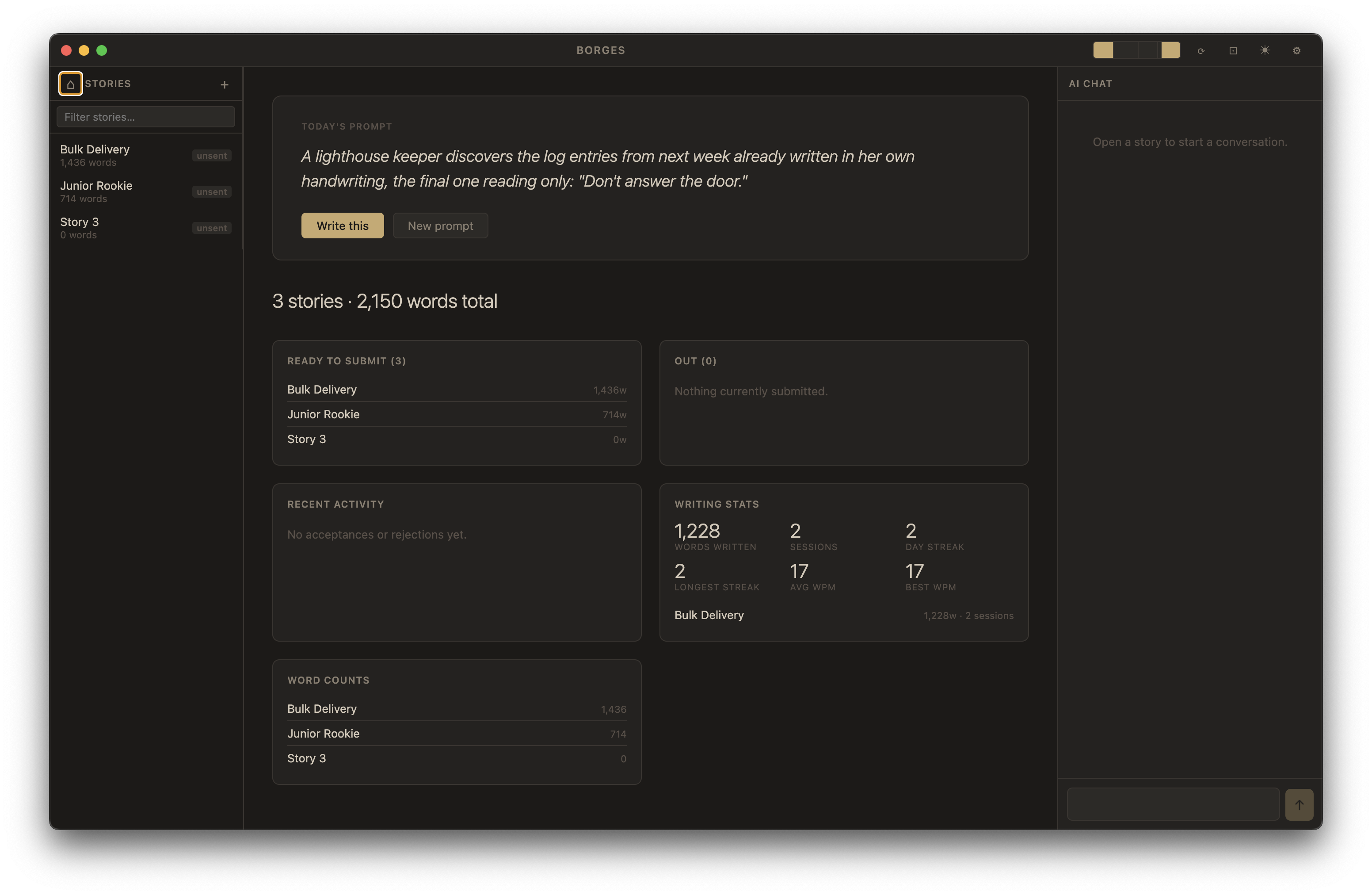
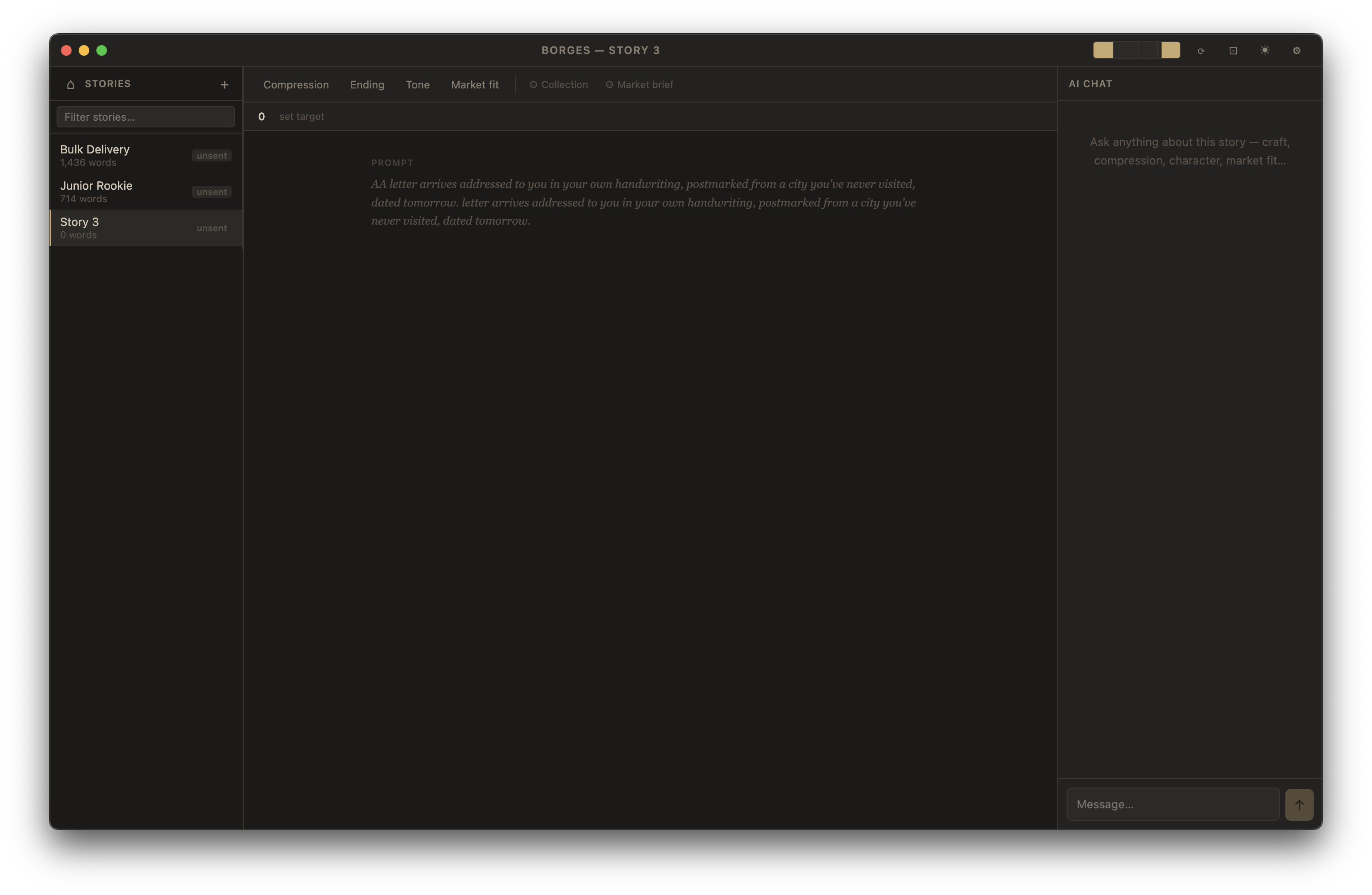
---
## Getting started
### Requirements
- Node.js 20+
- An Anthropic API key (or an OpenAI-compatible endpoint)
### Install and run
```bash
npm install
npm run dev
```
### Configure
Open **Borges → Preferences** (or `Cmd+,`) on first launch and set:
- **API key** — your Anthropic key, or the key for your custom provider
- **Collection folder** — where your `.md` story files live (defaults to `~/Documents/borges-collection`)
Settings are stored in `~/.borges/config.json`.
### Build a distributable
```bash
npm run package # macOS universal DMG
npm run package:win # Windows NSIS installer
npm run package:linux # Linux AppImage
```
---
## Custom AI provider
Borges defaults to Claude (`claude-sonnet-4-6` for analysis, `claude-haiku-4-5` for prompts). To use a different provider add an `ai` block to `~/.borges/config.json`:
```json
{
"ai": {
"baseURL": "https://your-openai-compatible-endpoint/v1",
"model": "your-model-name",
"promptModel": "your-fast-model-name"
}
}
```
When `baseURL` is set, Borges switches to the OpenAI-compatible client. The same `apiKey` field is used.
---
## Project structure
```
src/
main/
index.ts — Electron main process, window setup
ipcHandlers.ts — IPC bridge between renderer and filesystem/AI
aiService.ts — Streaming AI calls (Anthropic + OpenAI-compatible)
fileSystem.ts — Story CRUD, markets, submissions, revisions, telemetry
globalConfig.ts — ~/.borges/config.json read/write
preload/
index.ts — Exposes window.api to renderer via contextBridge
renderer/
components/ — React UI (Editor, Sidebar, Dashboard, AIChat, etc.)
store/
borgesStore.ts — Zustand global state
types/
borges.ts — Shared TypeScript types
```
### Data layout (per collection)
Each collection folder contains your `.md` story files plus a `.borges/` directory:
```
~/Documents/borges-collection/
my-story.md
another-story.md
.borges/
config.json — per-story metadata + collection context
order.json — sidebar sort order
session.json — last open story + chat history
markets.json
submissions.json
telemetry.json
revisions/
my-story/
_.json
```
---
## Scripts
| Command | Description |
|---|---|
| `npm run dev` | Start in development mode with hot-reload |
| `npm run build` | Compile renderer, main, and preload |
| `npm run typecheck` | Type-check all TypeScript |
| `npm run package` | Build + package macOS DMG |
| `npm run package:win` | Build + package Windows installer |
| `npm run package:linux` | Build + package Linux AppImage |
---
## Tech stack
- **Electron 33** + **electron-vite** — desktop shell and build tooling
- **React 18** + **Zustand** — UI and state management
- **CodeMirror 6** — markdown editor
- **@anthropic-ai/sdk** + **openai** — AI streaming
- **TypeScript 5**, **Vite 5**